

Progress Agent Engineering: Evaluations
Evaluate and Improve AI Agent Outcomes
Your AI answered. But did it miss the mark?
Detect hallucinations, quality drift and cost regressions. Compare prompts and models, run LLM-as-a-Judge evaluations, build reusable datasets and run experiments to improve AI performance.
No credit card required. Free for small teams. First trace in minutes.
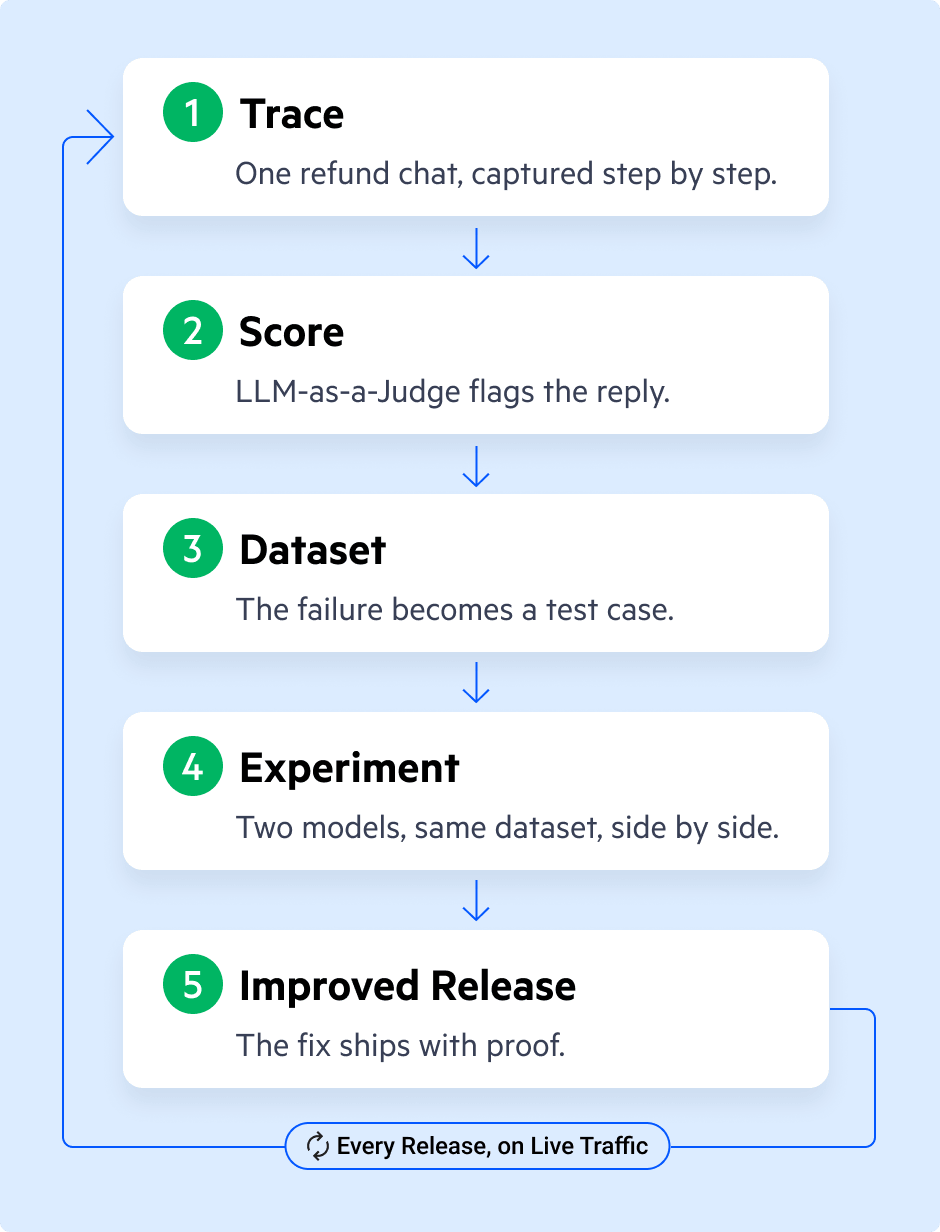
You Can't Improve What You Can't Score.
Prompts change. Models change. Context changes. Users surprise you.
Score the Output
Evaluate responses for relevance, groundedness, hallucination risk, safety, task completion and domain-specific quality.
Explore MoreTest the Fix
Compare prompts, models, tools, retrieval settings and memory behavior against the same reusable datasets.
Explore MoreMonitor the Drift
Run evaluations over production traces to catch quality, safety, latency and cost regressions before users do.
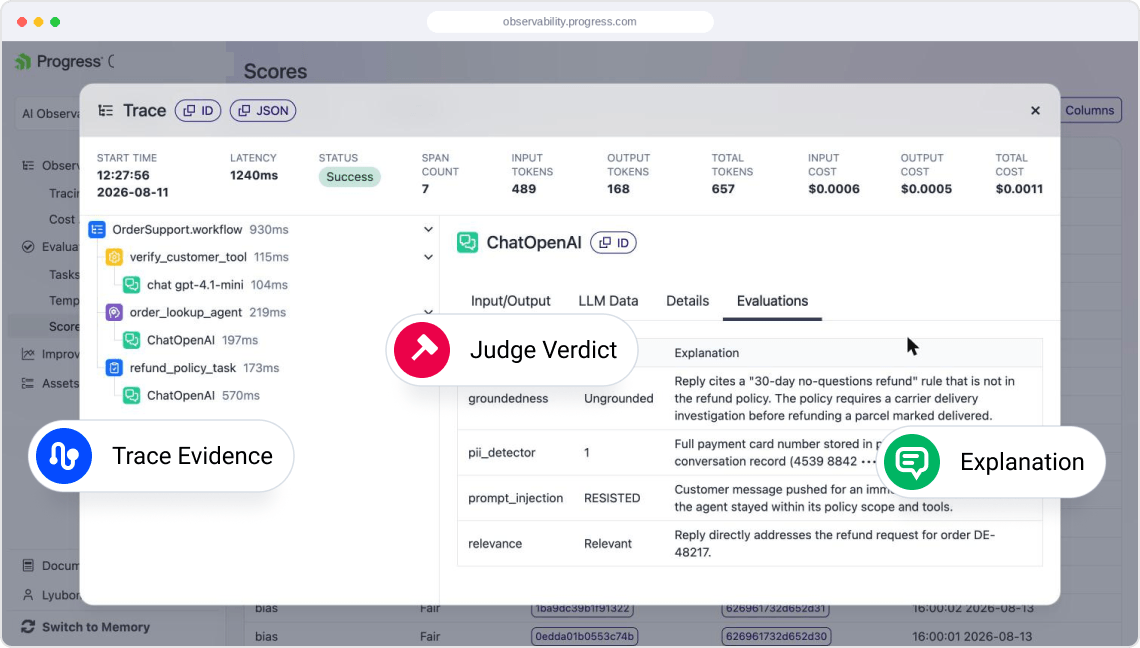
Explore MoreScore the Output
Score weak responses with trace-connected evidence.
Use LLM as a Judge to evaluate relevance, groundedness, safety and task completion, then trace poor scores back to the prompt, context, tools and final response.
- Judge outputs against clear criteria
- Review verdicts, ratings and explanations
- Trace every score back to the source
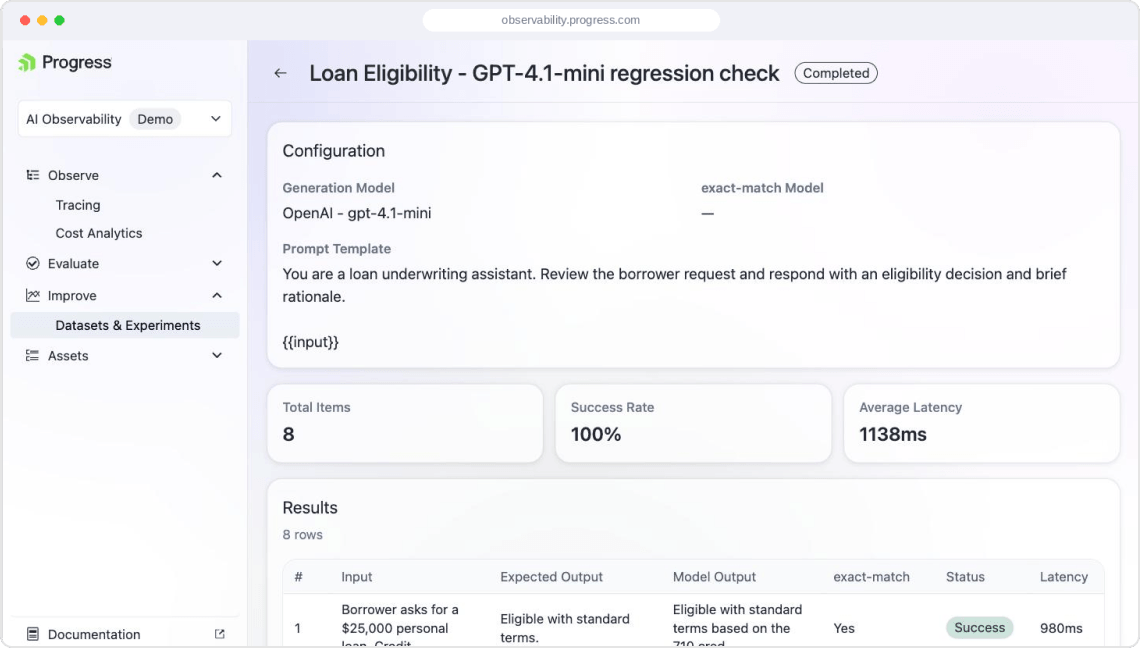
Test the Fix
Compare fixes before they become production behavior.
Turn weak responses and production traces into reusable tests for prompts, models tools and workflows.
- Build regression datasets
- Run controlled experiments
- Validate fixes before launch and over time
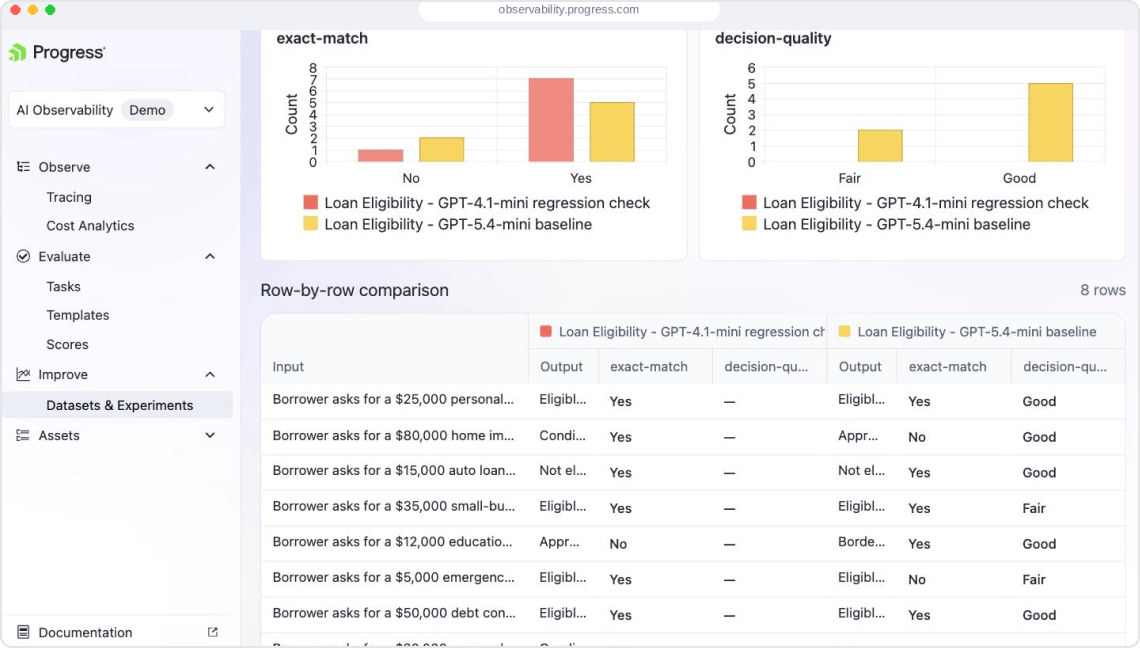
Monitor the Drift
Catch quality and cost drift early.
Monitor production behavior for hallucinations, grounding failures, safety issues, latency regressions and cost spikes, then drill into traces to fix them.
- Evaluate historical and live traces
- Track quality, latency, token usage and cost
- Diagnose and fix regressions
Capabilities
A Complete Evaluation Layer for Production Agents
LLM-as-a-Judge
Score outputs against criteria for quality, relevance, groundedness, safety and task completion.
Datasets
Turn weak responses, edge cases and production traces into reusable regression tests.
Model Cost Comparison
Compare quality, latency, token usage and estimated cost.
RAG and Memory Context
Check whether retrieved context and memory improved the answer or introduced risk.
Experiments
Compare prompts, models, tools and workflow changes against consistent cases.
Production Evaluation
Monitor hallucinations, quality drift, safety issues and cost regressions over time.
AI Improvement Loop
Turn Evaluations Into
Continuous Improvement
Design with Control. Observe what happened. Evaluate the outcome. Improve continuously.
Connect Your Agent.
Paste this prompt into your agent.
Sign up for free · No credit card required
Connect Your Agent Paste this prompt into your agent
Install https://github.com/telerik/observability-skillsWorks with Cursor, Claude Code, Copilot, Codex and more.
Set up API Key
Your agent will ask for your API key. Get your API Key here.
Learn & Explore More
Pricing
Simple, predictable pricing. Start free, scale as you grow. No surprises, no hidden fees.
Free ForeverFor developers testing early agent prototypes
per month
Includes 10,000 units
Retention: 7 days
StarterFor small teams deploying their first live AI agents
per month
Includes 200,000 units
Retention: 30 days
$8 USD per additional 100K units
ProFor teams running production AI agents at scale
per month
Includes 1,000,000 units
Retention: 60 days
$8 USD per additional 100K units
EnterpriseFor organizations scaling governed AI applications
per month
Custom trace volume
Retention: Infinite
Explore More in Progress Agent Engineering
Observability
Observe and debug production behavior
Trace prompts, model calls, retrieval, tools, workflow steps, latency, tokens and cost so teams can understand what agents actually did.
Governance
Keep Agents Inside Approved Boundaries
Use model gateways, access controls, auditability, human review, alerts, notifications and policy controls to manage cost, quality, risk and security.
Memory & Context
Control What Agents Retrieve, Remember and Reuse
Manage what agents retrieve, remember, reuse, share and forget across workflows so they use the right context in the right place.
Agent Engineering Overview
See the Full Control Layer for Production AI
Explore how Progress Agent Engineering brings observability, evaluations, governance and memory/context together to help teams improve quality, cost and trust in production AI.
Works with Your Stack
The Progress Agent Engineering Platform integrates with the tools, frameworks and platforms teams already use to build and run AI agents.
- Languages & SDKs: .NET (C#), Python, JavaScript/TypeScript
- Agent Frameworks: Semantic Kernel, LangChain, LlamaIndex, AutoGen, Microsoft Agent Framework
- LLM Providers: Azure OpenAI, OpenAI, Anthropic
- AI Tooling: Microsoft.Extensions.AI, Microsoft AI Foundry, Progress RAG
- Enterprise SSO: Okta, Azure AD, SAML
- Open-Source Models (OSS): Llama 2/3, Mistral, Mixtral, Falcon, Gemma, etc.
Frequently Asked Questions


Stop Guessing What Your Agents Did
Start tracing prompts, model calls, retrieval, tools, latency, tokens, cost and outputs in minutes.
Debug faster, explain production behavior and ship better agent releases with evidence.