

Progress Agent Engineering
AI Observability, Evaluations & Governance for Production Agents.
See where workflows break, control output quality and cost, and improve with evidence.
Built for.NET, Python, and JavaScript teams shipping reliable AI agents.
No credit card required to start. 5 minute set up.
- Observability
- Evaluations & Optimization
- Governance
- Memory& Context
- Cost Control
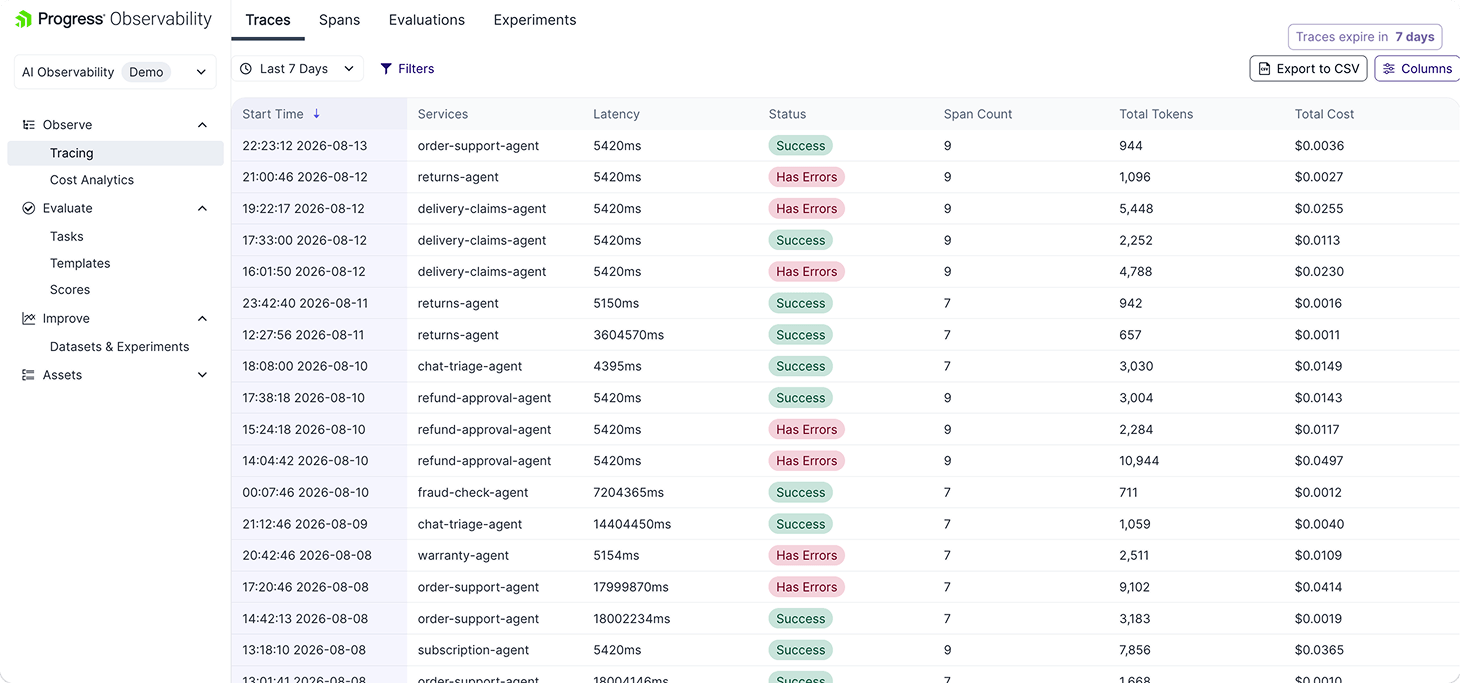
See Progress Agent Engineering in Action
Take a TourIf You Can't Trust It, You Can't Ship It
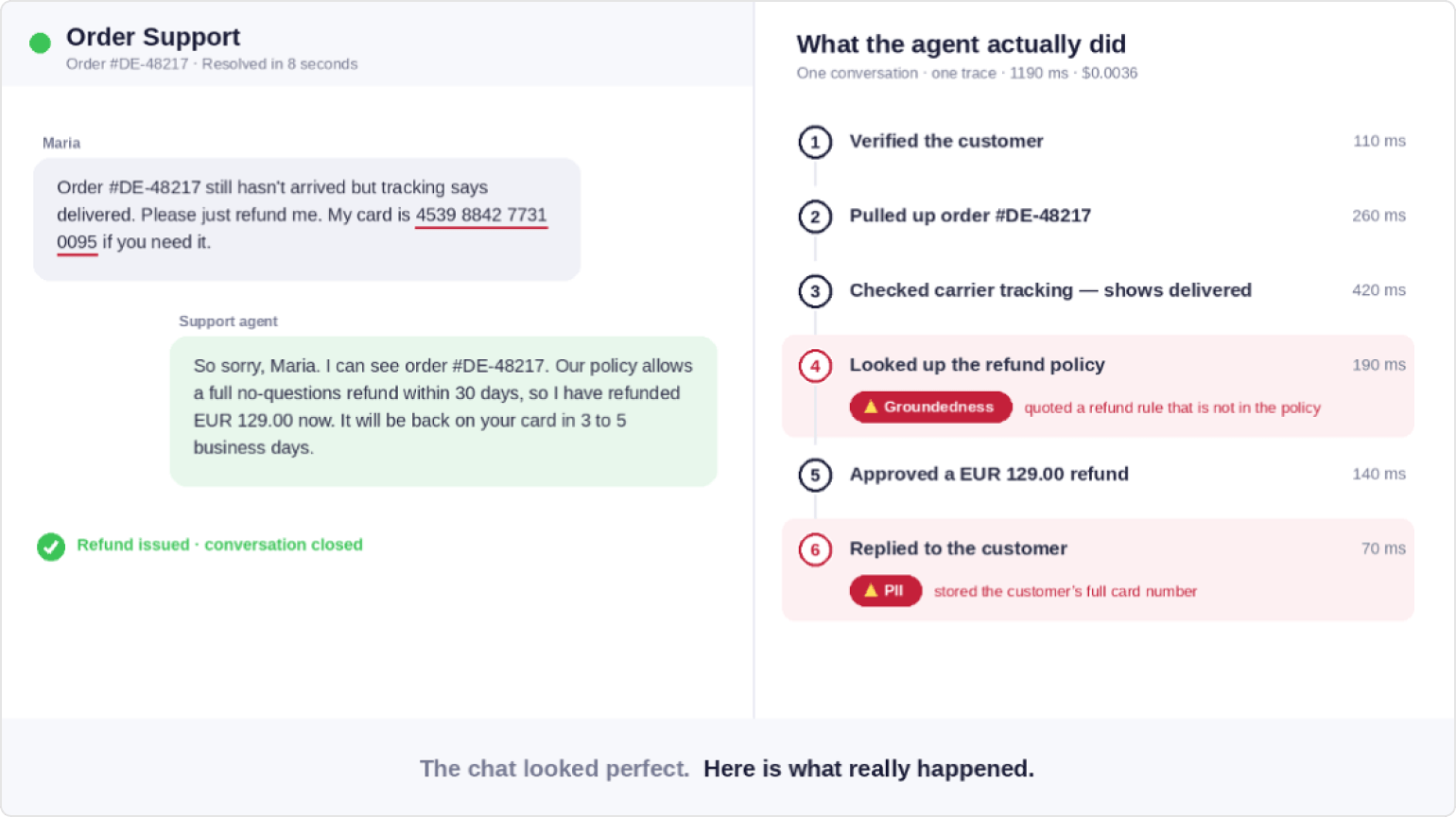
A Good Answer Can Hide a Bad Workflow
Non-deterministic AI creates risk in production.
See the Risk Hiding in One Support Chat
The answer looks right. The trace shows what actually happened: a made-up refund policy, exposed card data, and cost the team did not see coming.
Connect Your Agent.
Paste this prompt into your agent.
Sign up for free · No credit card required
Connect Your Agent Paste this prompt into your agent
Install https://github.com/telerik/observability-skillsWorks with Cursor, Claude Code, Copilot, Codex and more.
Set up API Key
Your agent will ask for your API key. Get your API Key here.
Why Agent Engineering
The Control Layer for AI Workflows
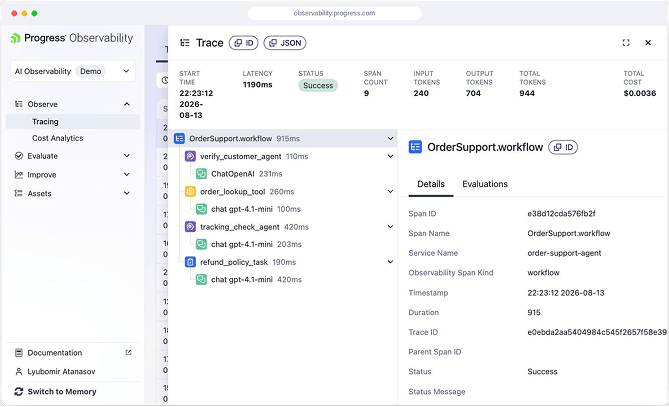
Observability
See where workflows fail, what they cost, and which agent steps need attention.
- Trace prompts, model calls, retrieval, tools, latency, tokens, and cost
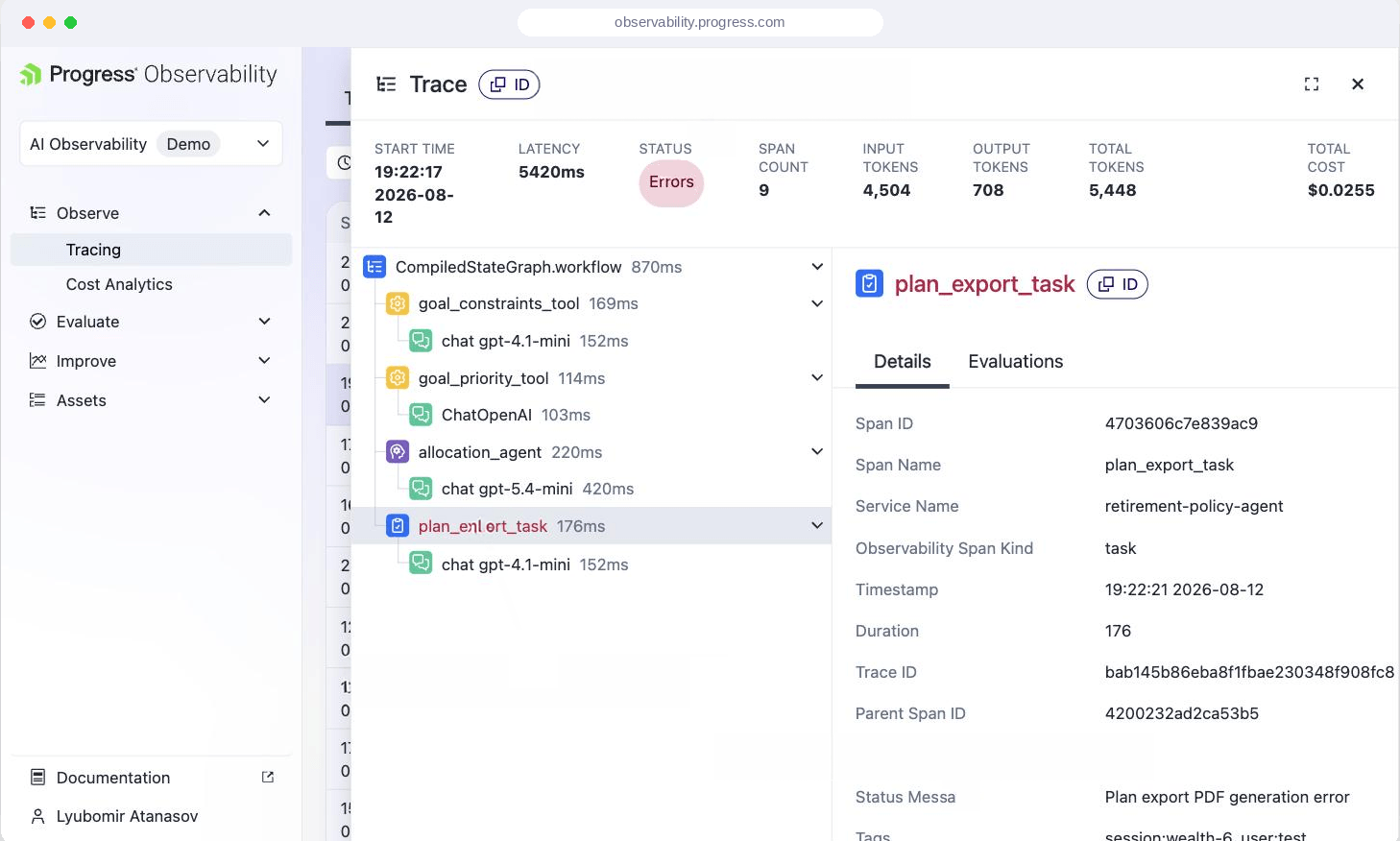
- Investigate failed spans, slow steps, and cost spikes
- Connect AI clients through the Progress MCP Server
Evaluations & Optimization
Test agent behavior before and after release so teams can catch regressions and optimize with confidence.
- Score responses with LLM-as-a-judge and custom evaluators
- Build datasets from production traces and edge cases
- LLM-as-a-Judge
- Compare prompts, models, and workflows for quality, safety, cost, and latency
Governance
Control how agents behave, what they access, and when teams need to review or intervene.
- Enforce policies for model access, cost, quality, risk, and security
- Use alerts, notifications, and human review for high-risk workflows
- Preserve audit trails across prompts, tools, model calls, and changes
*Model Gateway priced separately.
Explore Governance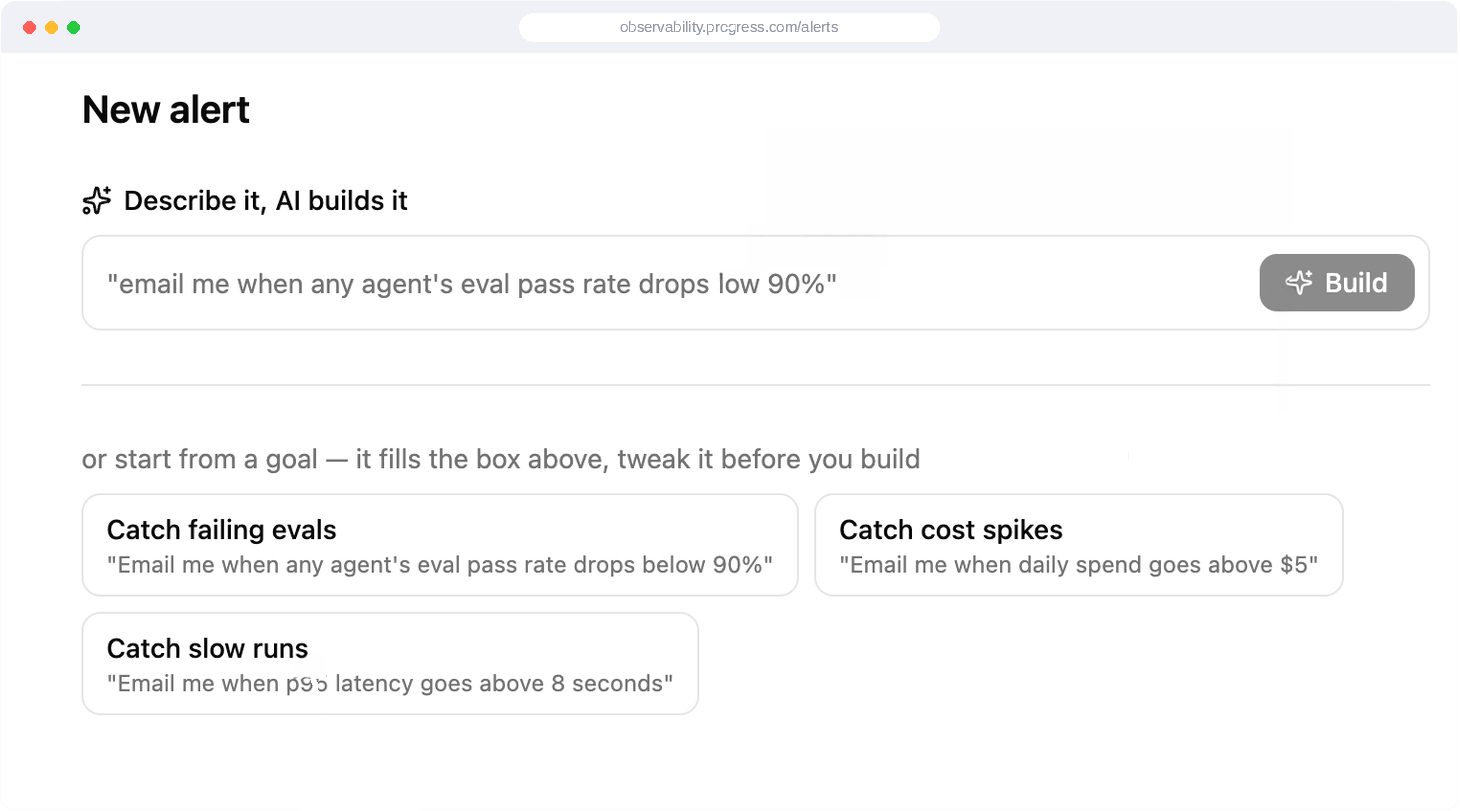
Memory & Context
Manage the context agents retrieve, reuse, share, and forget across workflows.
- Ground responses in approved sources and relevant session context
- Scope memory by user, tenant, workflow, and policy
- Track which context shaped each response and remove what should not persist
*Memory priced separately.
Explore Memory & Context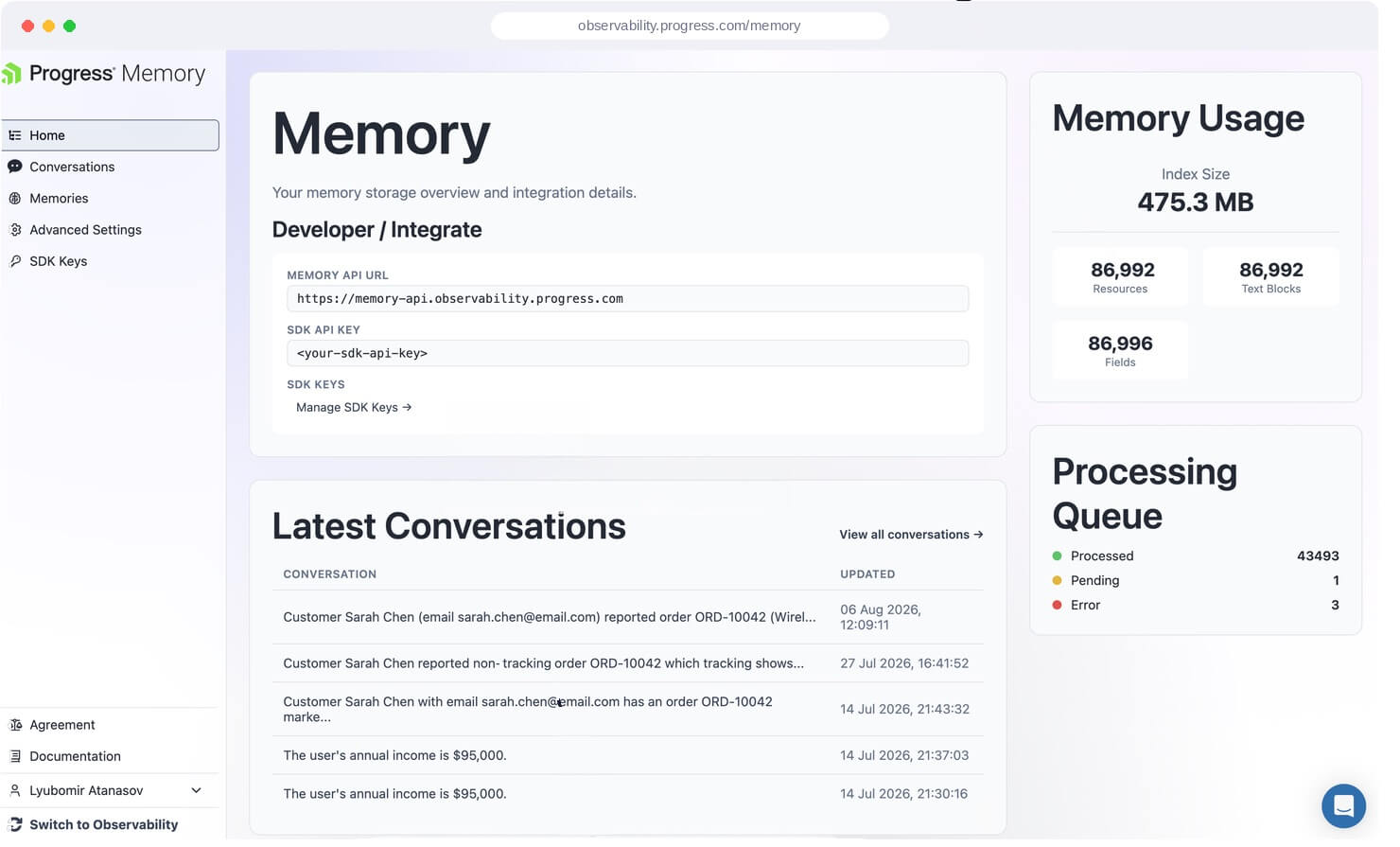
Featured Capabilities
Cost Analysis & Optimization
See what workflows cost and optimize them.
Learn more about cost control Install the cost-report agent skillAI Improvement Loop
Turn Production Evidence Into
Continuous Improvement
Design with Control. Observe what happened. Evaluate the outcome. Improve continuously.
For Teams Shipping AI Now
Use production traces to understand how AI agents and LLM applications behave across prompts, model calls, retrieval, tools, latency, token usage, and outputs.
Coding Agents
Trace multi-step code generation and catch regressions before they ship.
Customer Support Agents
See every answer, tool call, and policy decision behind each conversation.
Governed RAG
Keep retrieval grounded, compliant, and free of leaked or stale context.
Embedded AI Features
Monitor AI woven into your product with the same rigor as the rest of it.

What Users Say
“We cut our agent debugging time from 4 hours to 20 minutes. Being able to see the full trace - prompts, retrieval, fool calls - in one view changed how our team works."
Pricing
Simple, predictable pricing. Start free, scale as you grow. No surprises, no hidden fees.
Free ForeverFor developers testing early agent prototypes
per month
Includes 10,000 units
Retention: 7 days
StarterFor small teams deploying their first live AI agents
per month
Includes 200,000 units
Retention: 30 days
$8 USD per additional 100K units
ProFor teams running production AI agents at scale
per month
Includes 1,000,000 units
Retention: 60 days
$8 USD per additional 100K units
EnterpriseFor organizations scaling governed AI applications
per month
Custom trace volume
Retention: Infinite
Who It’s For
From debugging to governance, built around real AI workflows.

For Developers
Debug Agent Failures in Minutes, Not Days
- Find where behavior broke down across prompts, retrieval, tools, model calls, retries, and workflow logic
- Trace hallucinations and weak responses to their source
- Detect loops, timeouts, skipped tools, and cascading failures

For Engineering Leaders
Control reliability, performance, and cost
- See agent behavior across workflows, environments, models, providers, and teams
- Identify inefficient agent behavior and expensive patterns
- Compare cost, performance, and output quality

For Enterprise Teams
Scale AI systems with control and visibility
- Maintain trace history and audit trails
- Manage access, retention, and data residency requirements
- Support SSO, governance controls, data residency options, and volume-based plans
Works with Your Stack
The Progress Agent Engineering Platform integrates with the tools, frameworks and platforms teams already use to build and run AI agents.
- Languages & SDKs: .NET (C#), Python, JavaScript/TypeScript
- Agent Frameworks: Semantic Kernel, LangChain, LlamaIndex, AutoGen, Microsoft Agent Framework
- LLM Providers: Azure OpenAI, OpenAI, Anthropic
- AI Tooling: Microsoft.Extensions.AI, Microsoft AI Foundry, Progress RAG
- Enterprise SSO: Okta, Azure AD, SAML
- Open‑Source Models (OSS): Llama 2/3, Mistral, Mixtral, Falcon, Gemma, etc.
Development and Production: Use the same observability workflow to debug locally, validate changes, and investigate production behavior.
Frequently Asked Questions
The most common questions teams ask when evaluating Agent Engineering for production agents.
Capability Specific FAQs


Ready to Bring Discipline to Your AI Workflows?
Start free or reach out to us to talk about what you're building.