
background cover
background cover

KendoReact

Roadmap

What's Coming in 2026

Discover what’s ahead for KendoReact in 2026. Our upcoming roadmap brings new AI-powered agents and assistants, React UI components & feature enhancements, and performance improvements designed to help you build modern, AI-powered, high-performing web applications with ease.  

 We remain committed to delivering updates on a regular cadence and incorporating your feedback to shape the future of our KendoReact library. Explore what’s planned, share your ideas, and stay ahead with the latest innovations in React development. 
KendoReact

MCP Server Enhancements and AI-Generated UI

Improvement

Following the introduction of the MCP (Model Context Protocol) server and KendoReact Agentic UI Generator in Q4'25, we’re investing in additional features and improvements to boost developer productivity and streamline UI development workflows in the developer IDE's of choice.

thumbnail

Chat Component Improvements

New feature
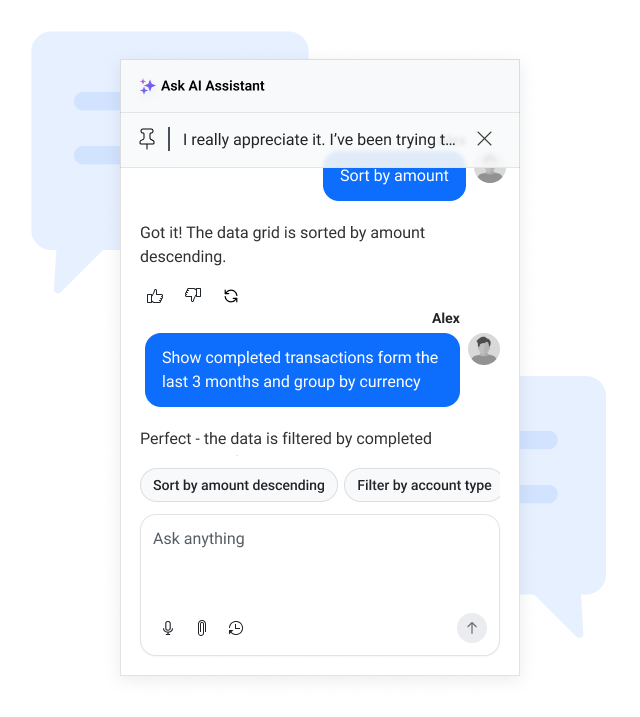
The Chat component continues to evolve as our go-to interface for both human-to-human and human-to-AI communication. Following major updates in 2025, we’re further enhancing its UI/UX and expanding its feature set to deliver a smoother, more reliable messaging experience. Upcoming improvements include quality-of-life additions such as a scroll-to-bottom button, failed-message states, and many other usability features. These enhancements ensure the Chat component remains intuitive, modern, and ready for advanced conversational scenarios across your applications.  


Smart Paste Component

New component

An AI-powered enhancement that streamlines data entry by transforming unstructured pasted content into structured form inputs. Users can copy text from emails, documents, or messages and paste it once, with the component intelligently mapping each piece to the correct fields based on context. This reduces manual typing, improves accuracy, and boosts efficiency. Smart Paste can be added to any React form or other component with minimal setup and supports integration with any AI provider for content analysis.  


Smart Prompting and Search Component

New component

We will introduce a unified Search and AI Prompting component that combines classic keyword search, semantic search, and lightweight AI prompting into a single reusable UI element. It will support intent-aware results, keyword precision, and inline AI suggestions triggered naturally within grids or other content-heavy components. Developers can connect any LLM backend, configure templates, and tailor the user experience. This component improves discoverability, accelerates user workflows, and provides an AI-ready search and prompt surface optimized for performance and seamless integration across the suite.  


Theme-Controlled Defaults

New feature

We’re introducing a more flexible and consistent way to manage component appearance across all Telerik & Kendo UI themes. Starting in Q1 2026, components will rely on theme-controlled defaults for key appearance options such as Fill Mode, Theme Color, Rounded Corners, and Size. This update gives you the best of both worlds—modern, theme-aligned designs out of the box, plus the flexibility to tailor components to your exact needs. 

  • Cleaner, theme-driven styling: Themes will define the default look and feel for a more cohesive design experience. 

  • Full customization remains: You can still override any default by explicitly setting component API options. 

  • Consistent behavior across themes: A unified system ensures predictable styling and easier maintenance. 

  • Clear hierarchy of control: Theme defaults → Component API overrides → Runtime customization. 

Enhanced Charts Interactivity and Motions

New feature

We’re making KendoReact data visualization components more engaging and visually appealing. Upcoming updates include improved chart animations for smoother transitions, category highlighting for better data focus and readability, and theme-driven animation tokens to ensure consistent motion design across all themes. These enhancements will help you create charts that deliver a polished, modern user experience aligned with your application’s design. 


Column Width Settings in DataGrid

New feature

We’re introducing the ability to define minimum and maximum column widths in the KendoReact DataGrid, giving you greater control over layout and responsiveness. With this feature, you can: 

  • Set min and max width for columns to maintain consistent layouts. 
  • Ensure column resizing respects these limits, even during user interactions. 
  • Preserve responsive behavior without columns shrinking or expanding beyond defined constraints. 

Export Data Grid to CSV

New feature

We’re adding the ability to export DataGrid content to CSV files in KendoReact. This feature will make it easy to extract, download and share tabular data for reporting, analysis, or integration with other tools.  


Stacked Layout Mode for Grid

New feature

We’re introducing a new stacked layout mode for the KendoReact DataGrid to deliver an adaptive, card-like display of data. Unlike the traditional table layout, stacked mode visualizes each record as a block with field labels and values, making it ideal for responsive design across desktop and mobile devices. This enhancement ensures consistent usability, better readability, and optimized performance on smaller screens, providing a modern and user-friendly experience for all environments. 


Integrating KendoReact in ChatGPT applications

New feature

We’re introducing capabilities to seamlessly integrate KendoReact components with ChatGPT-powered applications using the ChatGPT Apps SDK. This enhancement will allow developers to combine the rich UI components of KendoReact with AI-driven conversational experiences, enabling smarter, more interactive applications. 

Server-Side Validation for Forms

New feature
We’re enhancing the KendoReact Form component to support server-side validation in addition to existing client-side checks. This feature addresses scenarios where validation rules cannot be fully enforced on the client and ensures data integrity across complex applications. 


Sticky Group Headers in Data Grid

New feature

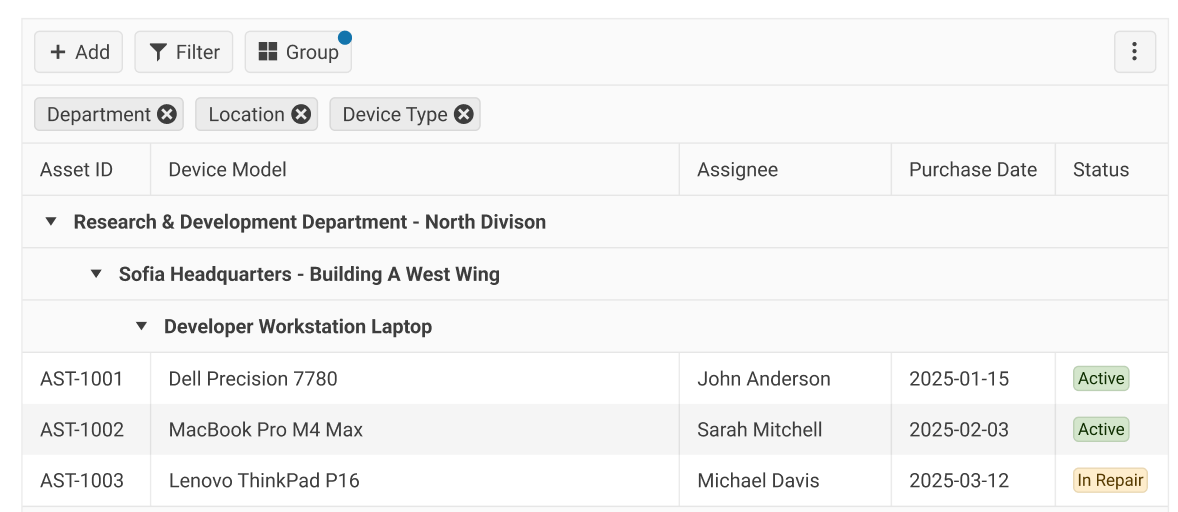
We’re adding support for sticky group headers in the KendoReact DataGrid component. This enhancement ensures that group headers remain visible while scrolling through large datasets, making it easier to understand the context of grouped data without losing track of which group you’re viewing. This improvement enhances usability for complex grids and delivers a smoother, more intuitive data exploration experience. 


Deprecation of React 16 and 17 Support

Improvement

Starting in Q1 2026, KendoReact will drop support for React versions 16 and 17, which have been out of active support for several years (React 17 ended support in March 2022, React 16 in October 2020). Moving forward, we will focus on React 18 and React 19, ensuring compatibility with the latest features and performance improvements. 

Why are we doing this? 

  • Security and stability: Older versions no longer receive active updates, making them less secure and harder to maintain. 
  • Access to modern React features: By aligning with React 18 and 19, you can leverage concurrent Rendering, automatic batching, and other optimizations for better app performance. 
  • Improved developer experience: Dropping legacy code paths reduces complexity and allows us to deliver faster updates and new capabilities. 


thumbnail

Input OTP Component for Seamless Two-Factor Authentication

New component

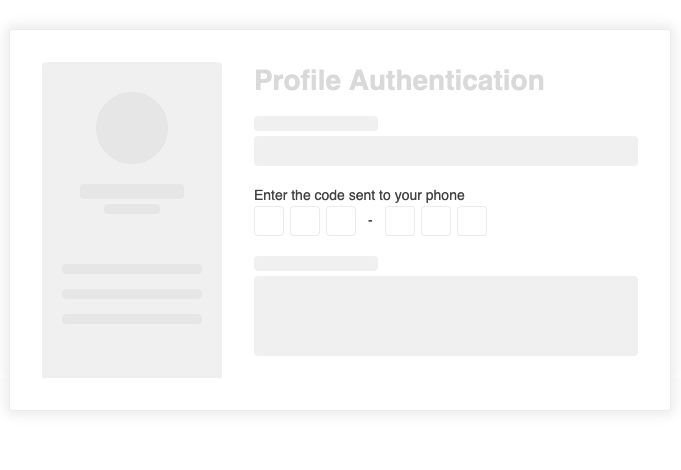
In an era where digital security is paramount, our new Input OTP component is designed to simplify and enhance two-factor authentication (2FA) workflows. This dedicated component addresses the growing need for a secure, user-friendly solution to OTP input, combining advanced customization, intuitive interactions, and rigorous security measures. With features like configurable input lengths, automatic focus shift, built-in validation, and accessibility support, the Input OTP component ensures a smooth and secure user experience. Fully customizable to fit any design system, it supports theming, localization, and integration with form validation libraries. Whether you're building login flows or verification steps, this component empowers developers to deliver robust, secure applications with ease.

thumbnail

No items found.