
Kendo UI
What's New R3 2018
What's New HistoryArchived release. This page is no longer updated. Check the Latest Release
jQuery Updates
WCAG 2.1 Compliance
With the R3 2018 the jQuery components become the first commercial UI library to officially support the new WCAG 2.1 recommended standard for web accessibility. To take advantage of this one simply has to update their references to the R3 2018 version (or later) and the Kendo UI components will automatically be compatible
New jQuery Components
An exciting new component added in R3 2018 is the MultiColumnComboBox which is a ComboBox that contains a Grid or table structure. The new MultiColumnComboBox component! This gives developers an intuitive way to bind to a list of data and have each data item display multiple values across however many columns may be needed.
Another new component is the ArcGauge widget. Ideal for quick and elegant data visualization needs.
Updates to Existing jQuery Components
The TreeList component received many of the top-voted features that have been sought after, which helps bring this component close to on-par with the Grid in terms of features. Items added include:
- Multi-Column Headers
- Client-side Paging
- Batch/In-Cell Editing
- Keyboard Navigation
The Grid itself also received added functionality for R3 2018.
- Group Summaries now available in Group Header
- Support for
mediaproperty in columns for responsive web apps - API Added: Update column width programmatically
The Conversational UI component received a popular feature as well, namely the toolbar feature. This lets developers add in more ways to interact with the chat interface
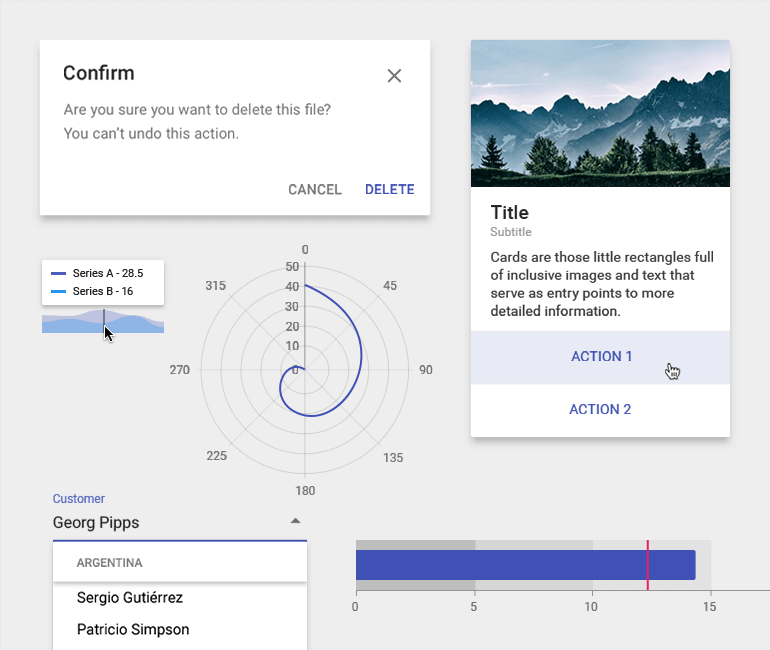
With R3 2018 the jQuery components are now fully compatible with Material Design through the release of the new Material Theme!
Finally, with R3 2018 the Kendo UI AngularJS 1.x components are fully compatible with the last stable version of AngularJS, 1.7.x.
Angular Updates
New Components for Angular
The R3 2018 release of Angular introduces the new Notification widget, providing a flexible way to display a notification anywhere within your application.
Updates to Existing Angular Components
For R3 2018 the Grid added the following functionality to its extensive feature set:
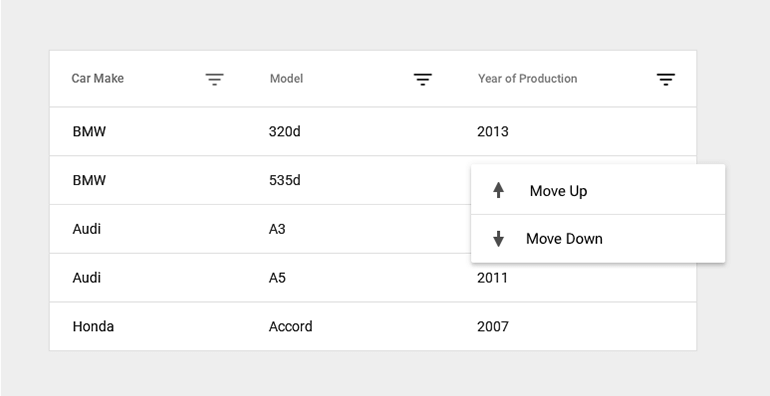
- Context Menu
- DateRangePicker as a method of filtering
- Performance update with smooth 60 FPS while scrolling
- State persistance
In the Data Visualization world we added support for axis positioning which lets developers choose exactly where the labels of an axis will be positioned. This is similar to how labels can be positioned in Excel charts, especially in scenarios with a negative Y axis.
React Updates
New Components for React
The following native components were created from scratch and added to the React library:
- Menu
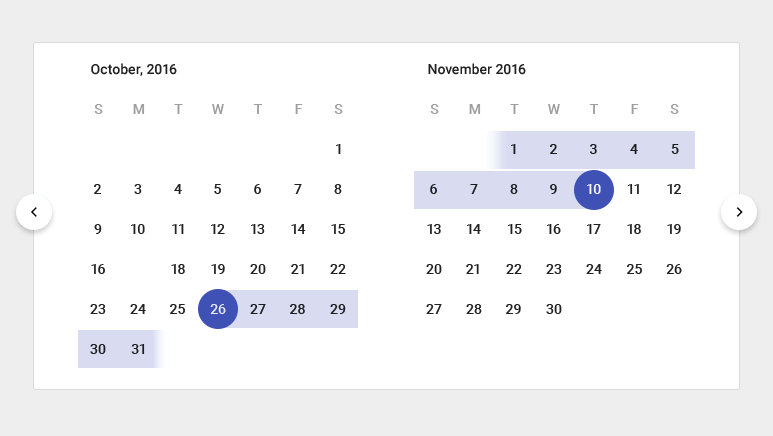
- MultiViewCalendar
- DateRangePicker
- MultiSelect
- Tooltip
- Dialog
Additionally, the following new Data Visualization components were added:
- Sparkline Chart
- Stock Chart
- Gauges
Updates to Existing React Components
The Grid received some crucial updates both in terms of features and under-the-hood updates, namely:
- Multi-header Columns
- Persist Grid State
- Display Loading Indicator
All of our input elements added official integration with HTML5 validation.
The React Calendar component also added some new features:
- Option to hide calendar navigation
- Configuration option to control depth of calendar view
Vue Updates
WCAG 2.1 Compliance
With the R3 2018 the wrapped Vue components become the first commercial UI library to officially support the new WCAG 2.1 recommended standard for web accessibility.
New Vue.js Wrapped Components
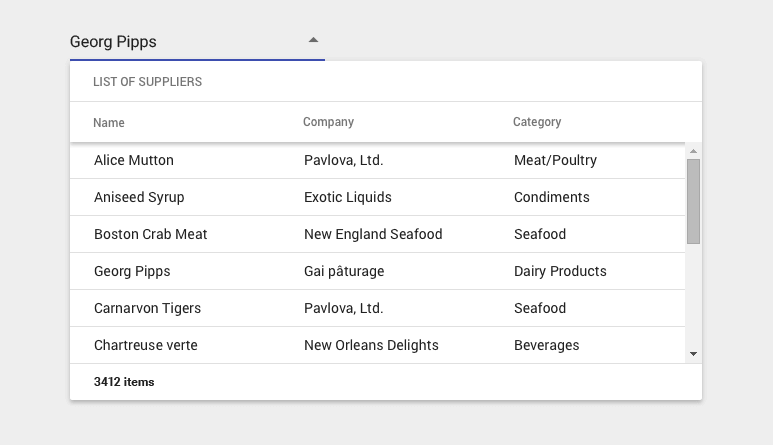
In R3 2018 we added the MultiColumnComboBox component. This is a great way to display data in a table but hide it away in a ComboBox.
Another new component is the ArcGauge widget. Ideal for quick and elegant data visualization needs.
Updates to Existing Vue Components
The TreeList component received the following updates, bridging the gap further between it and the Grid component:
- Multi-Column Headers
- Client-side Paging
- Batch/In-Cell Editing
- Keyboard Navigation
The Grid also added functionality.
- Group Summaries now available in Group Header
- Support for
mediaproperty in columns for responsive web apps - API Added: Update column width programmatically
The Conversational UI component received a popular feature as well, namely the toolbar feature. This lets developers add in more ways to interact with the chat interface.
Between May of 2018 and the R3 2018 release we added over 200 new demos to our Vue documentation. This is all in an effort to make the getting started experience with our Vue UI components as seamless as possible, all while providing advanced users with more in-depth articles.
Lastly, the Vue components are now fully compatible with Material Design with the new Material Theme.